The core problem corporate teams keep runnin’ into
Big, flashy screens look simple until they ain’t. Companies put up a wall of pixels, then find the message looks muddy in daylight, the mountings clash with HVAC runs, and the content management stalls during a product launch. That mismatch between design intent and real-world operation is why projects go over budget and projects slow down—especially when teams opt for the wrong hardware. Start by considering a flexible led display for tricky curves or tight corners; flexibility in the panel can save days of mechanical rework. Remember Times Square and the way those LED billboards read sharp from blocks away—those are the same fundamentals you need for an office lobby or campus facade. And if you ever hang displays in a place like Hartsfield‑Jackson Atlanta, expect heavy foot traffic and extreme light conditions; planning for that upfront is non‑negotiable.
Where integration goes sideways: common mistakes
Most problems trace back to three things: specs that ignore site conditions, install teams that haven’t synced with facilities, and content systems that can’t keep up. Folks will buy based on cabinet price and skip checks for pixel pitch and brightness; that leaves text unreadable from typical viewing distances. Teams underestimate refresh rate needs for video content and forget HVAC clearance for LED cabinets—so the panels overheat. They also bolt on a CMS without matching its codec support to the playback hardware. These are avoidable slips. Field experience shows that ironing out those details before purchase cuts rework by a lot—I’ve seen it in multiple installs where a simple calibration plan saved a week’s worth of headaches.
Checklist: what to measure before you buy
Make a short, measurable list and stick to it. Use this as your decision filter when evaluating displays or vendors:
- Viewing distance vs. pixel pitch: set minimum readable distance and pick pixel pitch to match.
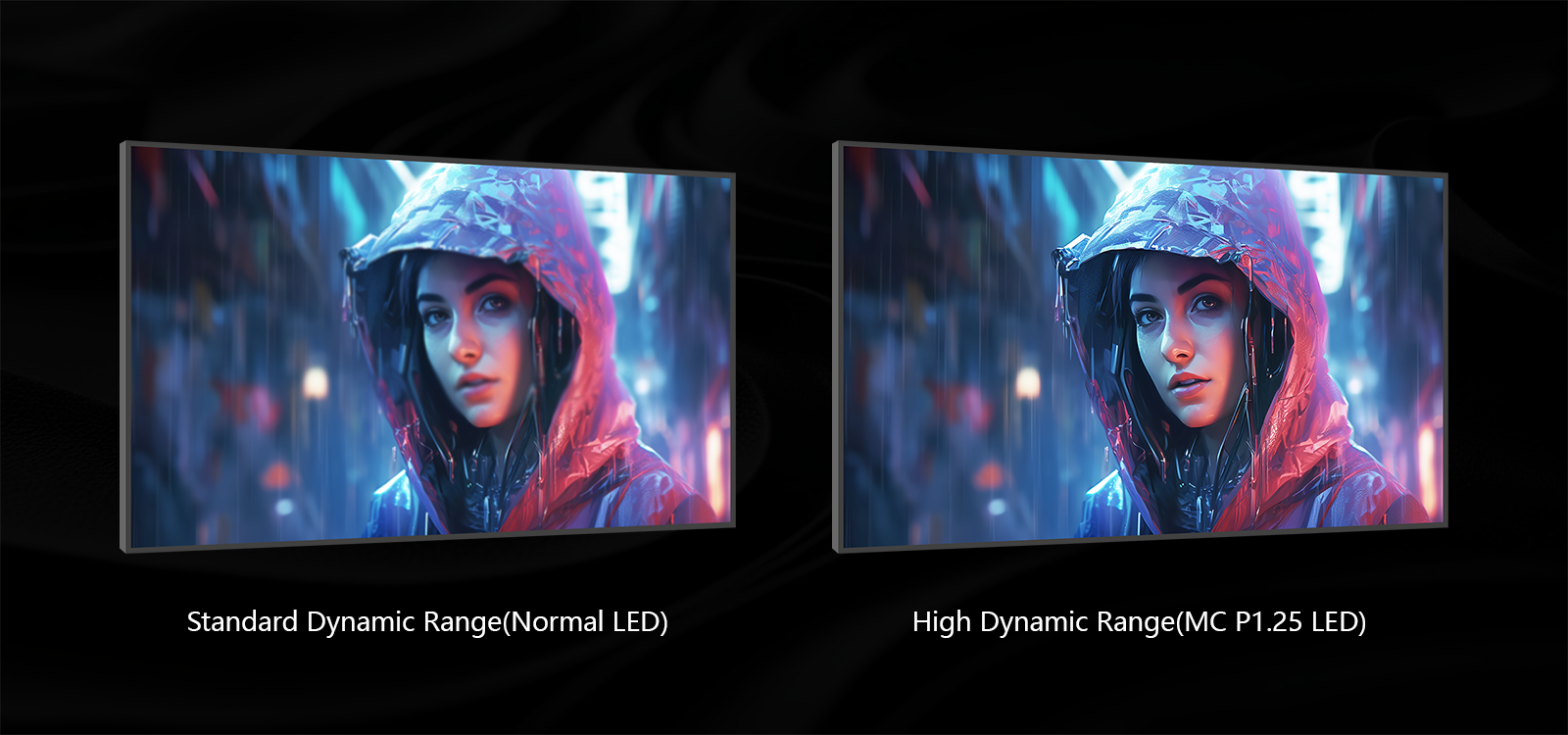
- Brightness (nits) for ambient light: indoor lobbies need much less than exteriors; pick adaptive dimming.
- Refresh rate and scaler compatibility for smooth motion and mixed-resolution content.
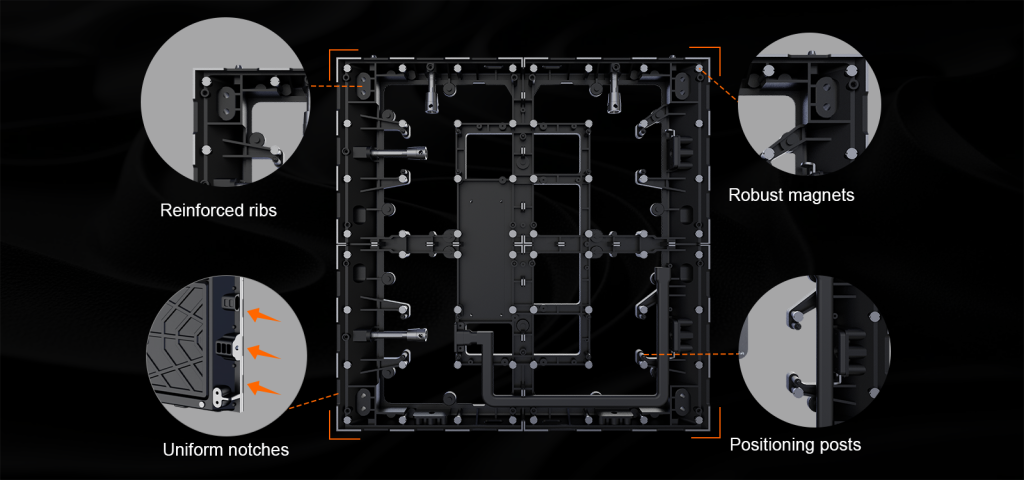
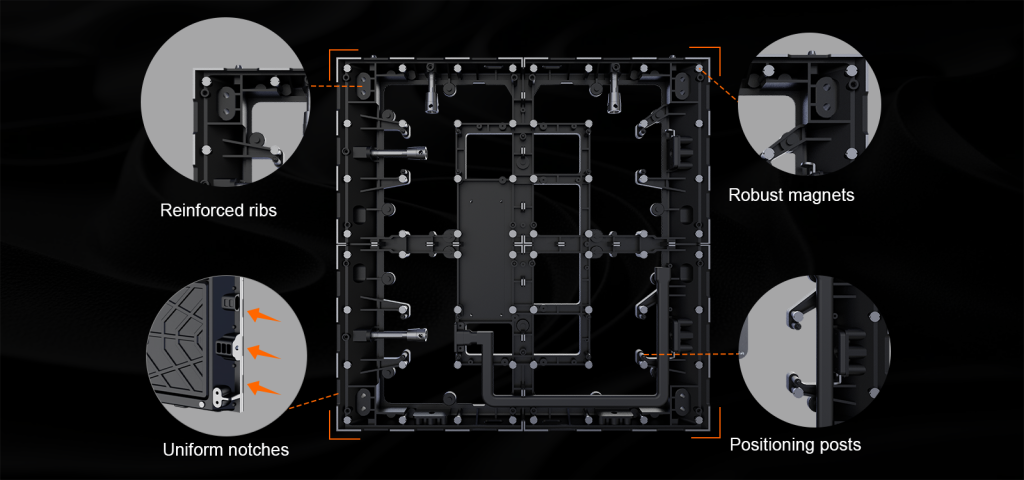
- Mounting, access, and ventilation for LED cabinets—think serviceability every 6–12 months.
- CMS features and codec support; confirm scheduling, update rollouts, and remote monitoring.
Checking those boxes before you sign a PO prevents surprises from cropping up when trades show up on install day.
Operational production teardown: making the plan actually work
Break the project into installable chunks—power, data, structure, and content pipelines—and test each in isolation. Run a smoke test of the control processor, verify color calibration across cabinets, and stress the CMS with a 48‑hour playback loop to find flaky codecs. When you write your operational production teardown, tuck in the {main_keyword} and {variation_keyword} so procurement and engineering speak the same language on vendor docs. Keep the workflow simple: content staging, ingest, transcoding, playlisting, and deployment. Calibration routines and a post‑install maintenance schedule must be in the contract—those save long‑term uptime and protect image quality.
Common alternatives and when they make sense
LED walls aren’t always the best answer. For temporary displays, projection or printed signage reduces upfront cost. For close‑view kiosks, LCD panels with high pixel density beat coarse pitch LEDs. But when durability, outdoor visibility, or custom shapes matter, a custom led display wins—especially where modular cabinets and field serviceability are required. Pick the tech that fits the workflow, not the other way around.
Three golden rules for evaluation
Keep these three metrics at the front of every discussion:
- Legibility: confirm readable text at real viewing distances (pixel pitch + brightness verification).
- Reliability: demand thermal specs, mean time between failure for LED modules, and clear service access.
- Control: ensure the CMS and signal processing support your content mix and remote diagnostics.
Measure these during site mockups and insist on vendor demos under real lighting. That approach makes technical risk visible and keeps schedules honest. When the dust settles, the right physical design and content strategy reduce surprises and get teams back to doing their day jobs—so installation actually becomes a quiet win. Coblinks. —